
How we know you reached the door (and what to do if GPS fails)
The deliver button appears once GPS confirms you’re at the address. If a building or garage throws it off, request the exception and support authorizes you.
How it works
To protect the customer and you, “delivered” can only be marked at the door. A single point on the map isn’t enough: the app sends your location with the GPS accuracy, and it takes two consecutive readings, precise (under 60 meters of error) and consistent, within 200 meters of the address. Keeping the phone still for a few seconds is enough.
If the phone reports an impossible location (a jump of several miles in seconds, typical of a spoofed or broken GPS), that reading doesn’t count and is noted on the order.
In a tall building, a garage, or an area with no signal, GPS may place you on another street. That’s what “I can’t confirm my location” is for: you write what’s going on, support reviews it and authorizes the delivery. Who authorized it and when is recorded.
While support reviews, if GPS confirms you, the button appears on its own. When you arrive we also let the customer know you’re at their door.
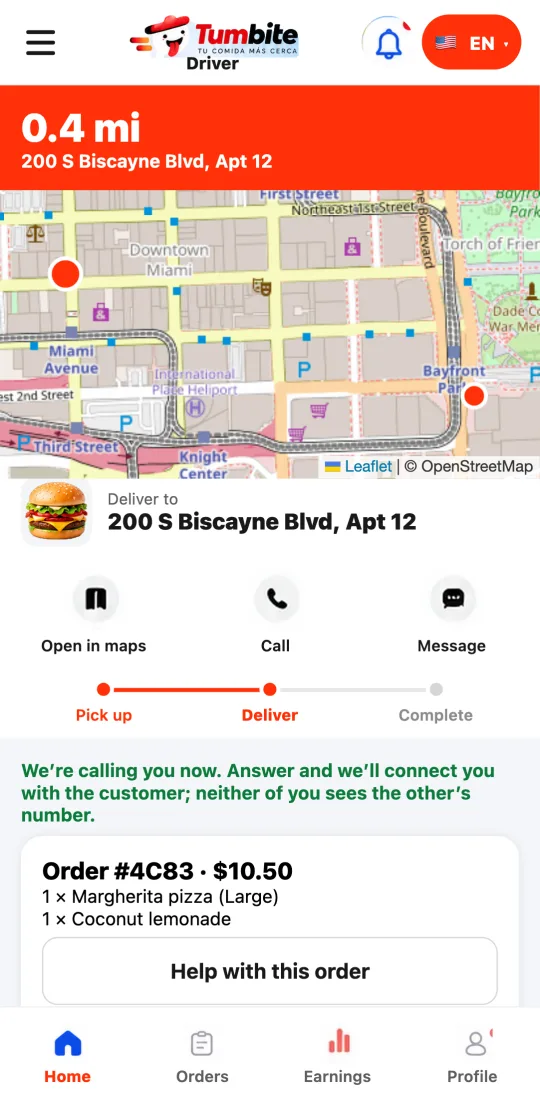
Steps
- Reach the address and keep the phone still for a few seconds: GPS confirms with two readings.
- If it doesn’t confirm, write what’s going on and tap “I can’t confirm my location.”
- Support reviews and authorizes; the app notifies you and the deliver button appears.
This guide answers
- Why doesn’t the deliver button show up if I’m already at the door?
- What do I do if GPS doesn’t place me at the address?
- What happens if my location jumps around?