
The traffic light on every order
Green, yellow, or red: at a glance you know which order is fine and which one needs attention.
How it works
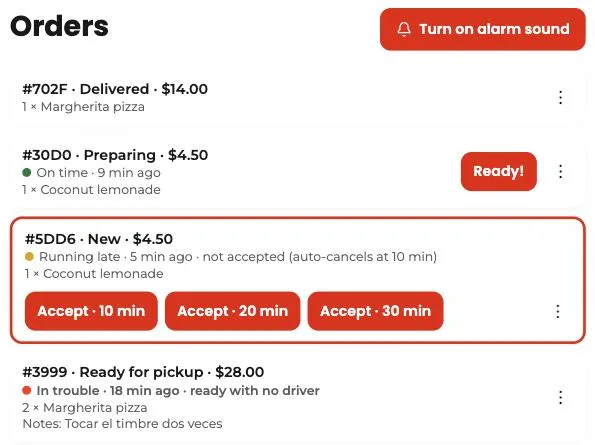
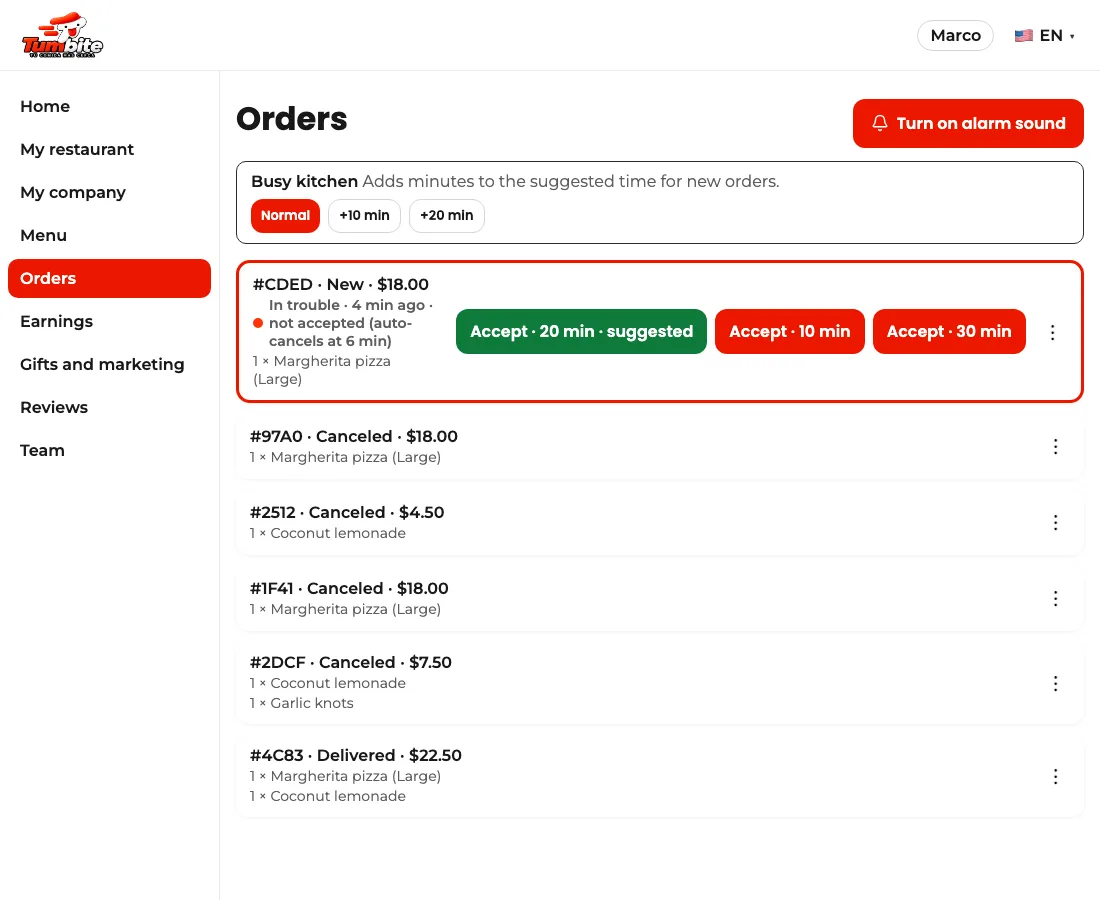
At rush hour a kitchen can have ten orders at once. The traffic light sorts out that urgency: each order shows a colored dot, how many minutes it has been in its stage, and, if it’s running late, why.
Green: on time. Yellow: running late, worth a look. Red: needs attention now.
The times depend on the stage. A new order turns yellow after 1 minute without being accepted and red at 3. In the kitchen it’s measured against the time the restaurant itself promised when accepting: yellow once it’s past, red ten minutes later. A ready order with no driver turns yellow at 5 minutes and red at 15. And on the way, yellow at 30 and red at 45.
Steps
- Restaurants: open “Orders” on the dashboard or the tablet. The traffic light shows under each order.
- Handle the red ones first, then the yellow ones. A new order in yellow is accepted in one tap by choosing the prep time.
- When you accept, promise a realistic time: the kitchen light is measured against that number.
This guide answers
- What do the colors on each order mean?