
Holidays and closures
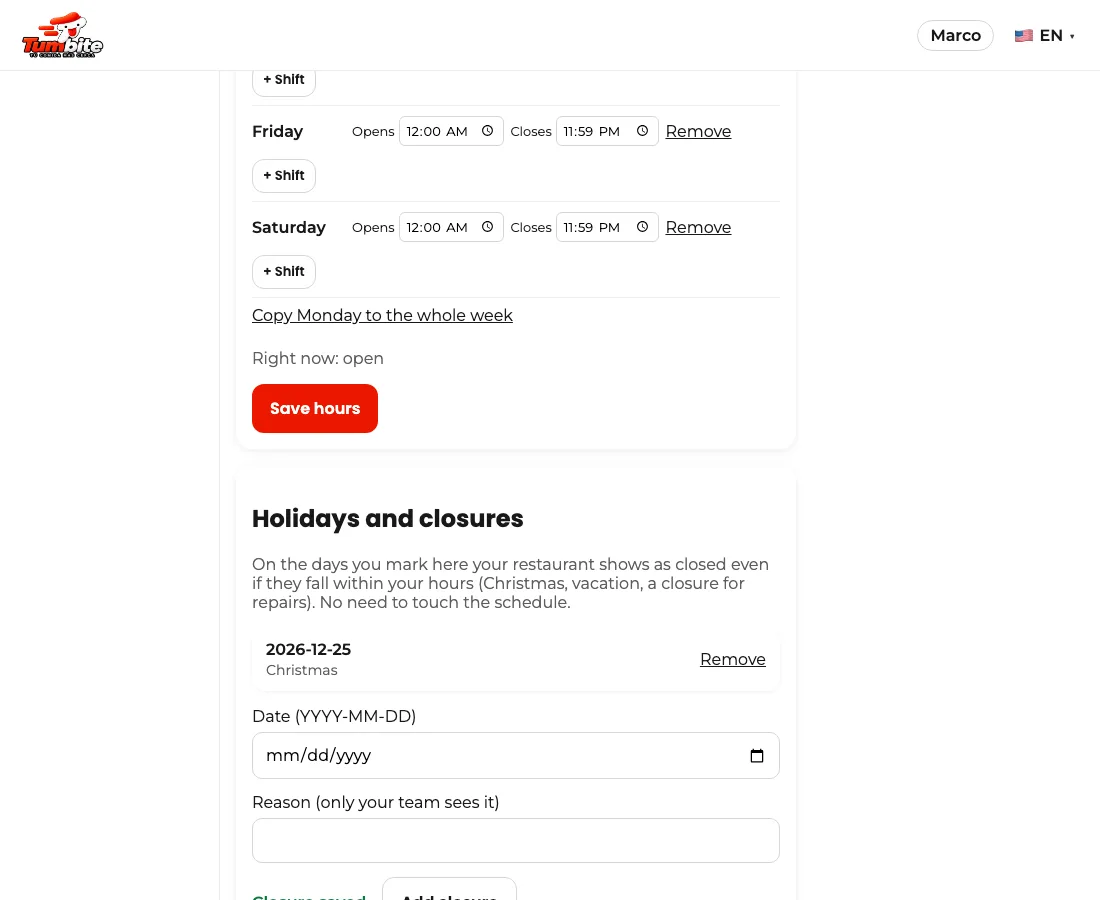
Mark the days you don’t open (Christmas, vacation, repairs) and on that day your restaurant shows as closed even within your hours.
How it works
Under My restaurant, below the schedule, there’s “Holidays and closures”. Pick the date, write a reason (only your team sees it) and tap “Add closure”.
That day customers see your restaurant closed and can’t order, without touching the schedule or the open switch. The next day it comes back on its own.
To remove a closure, tap “Remove” in the list.
Steps
- My restaurant → Holidays and closures.
- Pick the date and add the closure.
This guide answers
- How do I close on a specific day?
- Do I have to change the schedule for a holiday?