
Track your order live
Confirmed, in the kitchen, on the way, and delivered, with your driver on the map.
Steps
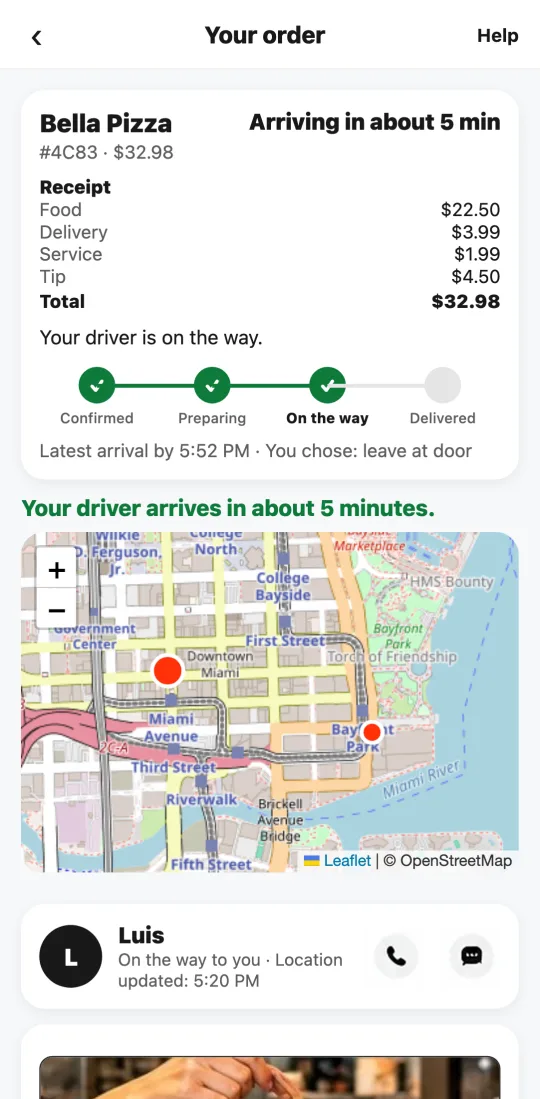
- After paying, the order screen shows four steps: confirmed, preparing, on the way, and delivered. What’s done turns green.
- When the driver picks up your food, they appear on the map heading to your door, with the estimated arrival time.
- You get a phone notification at each key step, if notifications are on.
- If something’s off, tap “Problems with your order?” and write to us: a real person answers.
This guide answers
- Where can I see where my order is?
- How long until my food arrives?