
My account: your orders, cards, and details
All your orders and their status, the cards you saved, and your details, in one place in the app.
How it works
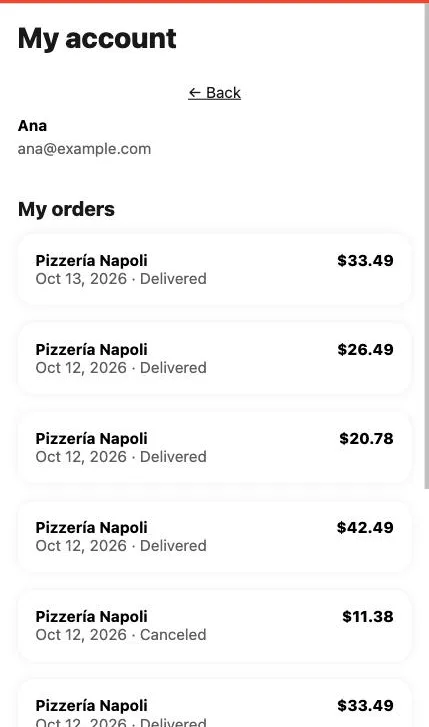
In “My account” you have your full history: every order with the restaurant, date, total, and how it ended. Tap one to see it again or to report a problem with that order.
That’s also where your saved cards are, so you can order faster next time. You can remove one anytime from the three-dot menu; you’ll be asked to confirm first.
Steps
- On the app’s home screen, tap “My account” in the bottom bar.
- Scroll down to see your orders. Tap any one to open it.
- Under “My cards,” open a card’s three-dot menu and choose “Remove this card” if you no longer use it.
- To delete your account completely, open the app’s three-dot menu and choose “Delete my account.”
This guide answers
- Where can I see my past orders?
- How do I remove a saved card?