
Chat with your driver
From the moment your order has a driver until it arrives, you can message them from the app, without sharing your number.
How it works
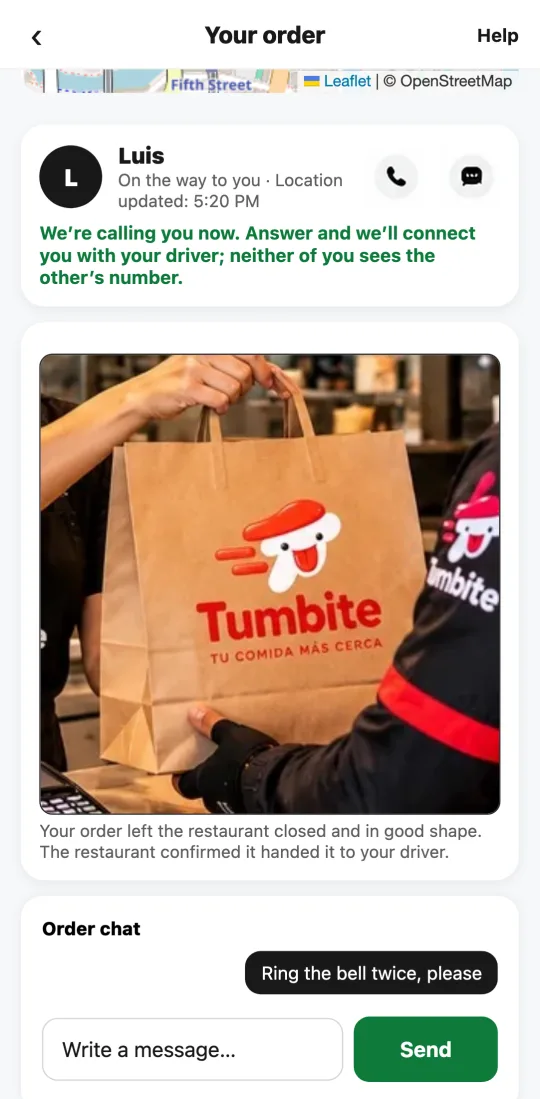
The chat appears on your order screen as soon as a driver takes it. Use it to say where to leave it, the gate code, or that you’re coming out.
Nobody sees your phone number or the driver’s. What’s written is saved, and our team can read it only if there’s a claim.
When the order is delivered or canceled, the chat closes on its own.
Steps
- Open your order in the app.
- Scroll to “Order chat,” write, and tap “Send.”
- The driver gets a notification on their phone and replies right there.
This guide answers
- How do I message the driver?
- Does the driver see my phone number?