
Leave at door or hand it to me: you choose
When you order, you say whether to leave it at your door or hand it to you. The driver sees it and acts accordingly.
How it works
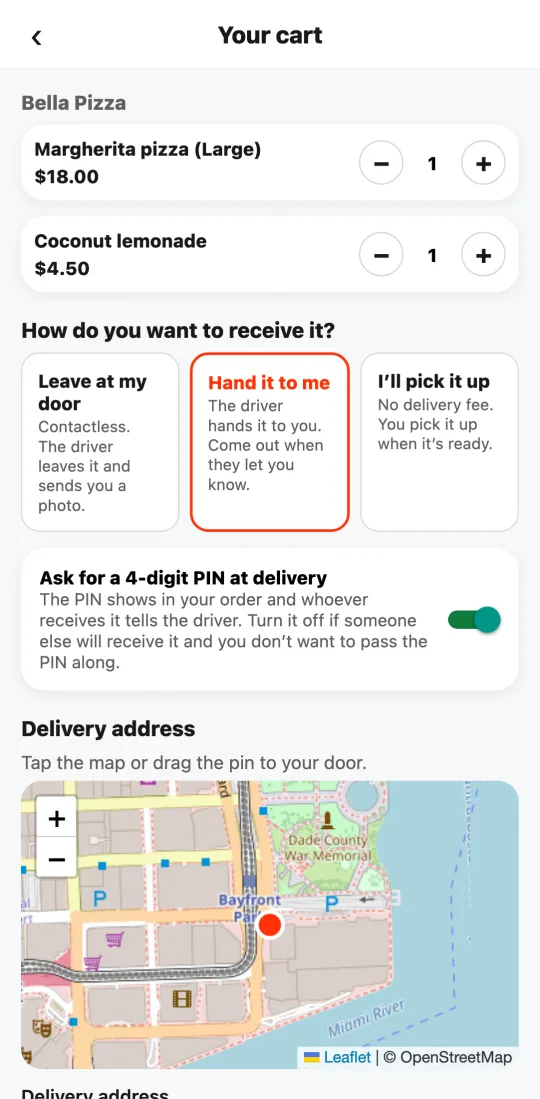
In the cart, before paying, choose “Leave at my door” or “Hand it to me.”
At the door: contactless. The driver leaves it and photographs where it was left; you see the photo in your order.
In hand: the driver hands it to you. When they’re at your door we let you know so you can come out. No photo is needed in that case: the proof is a 4-digit PIN that shows in your order and that whoever receives tells the driver. Without the right PIN it isn’t handed over.
The PIN is optional: if someone else will receive it (a relative, the doorman) and you don’t want to pass the PIN along, turn it off with the switch when ordering. Then it’s handed over without a PIN.
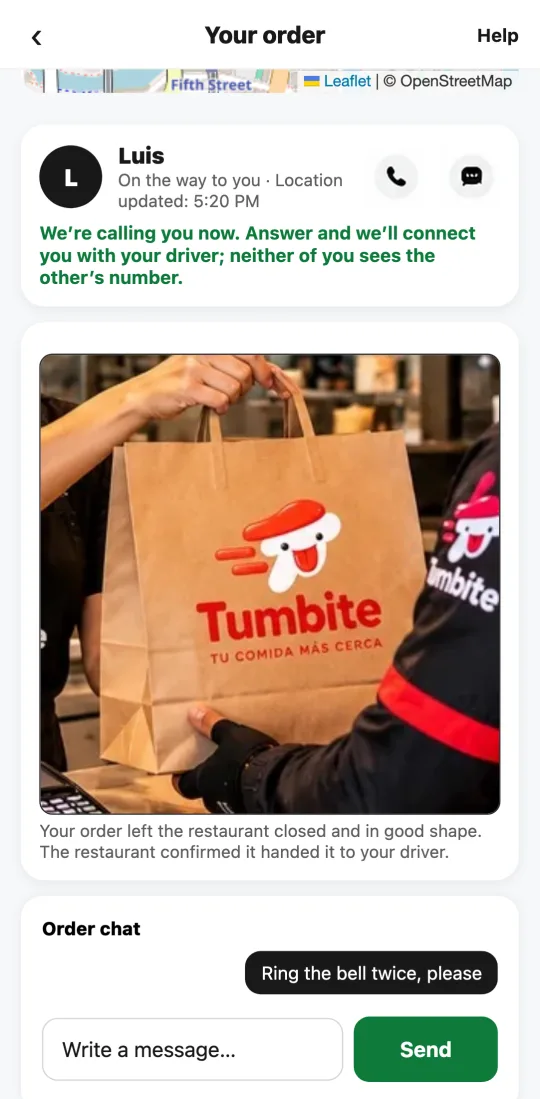
If you don’t show up, the driver lets you know and messages you in the chat. After 5 minutes they can leave it in a safe spot (with the doorman, at reception) with a photo and a note of where it is, and you see it in your order.
Steps
- In the cart, below the address, choose “Leave at my door” or “Hand it to me.”
- If you chose in hand, watch for “Your driver is at your door.”
- If they can’t find you, reply in the chat; otherwise after 5 minutes they leave it in a safe spot and send you the photo.
This guide answers
- Can they leave my order at the door?
- What is the delivery PIN and how do I turn it off?
- How do I ask for it to be handed to me?
- What if I’m not there when the driver arrives?