
Gift cards: give Divoox and redeem a code
Buy a gift card for someone in the amount you choose. They get a code by email, and redeeming it adds a balance for their orders.
How it works
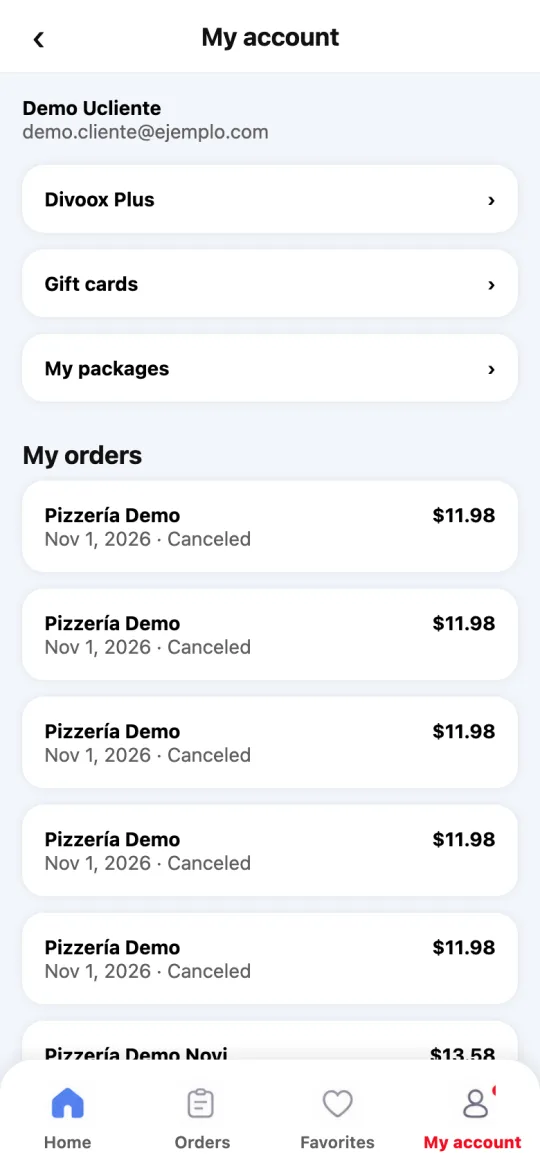
When gift cards are available, they show in My account → Gift cards.
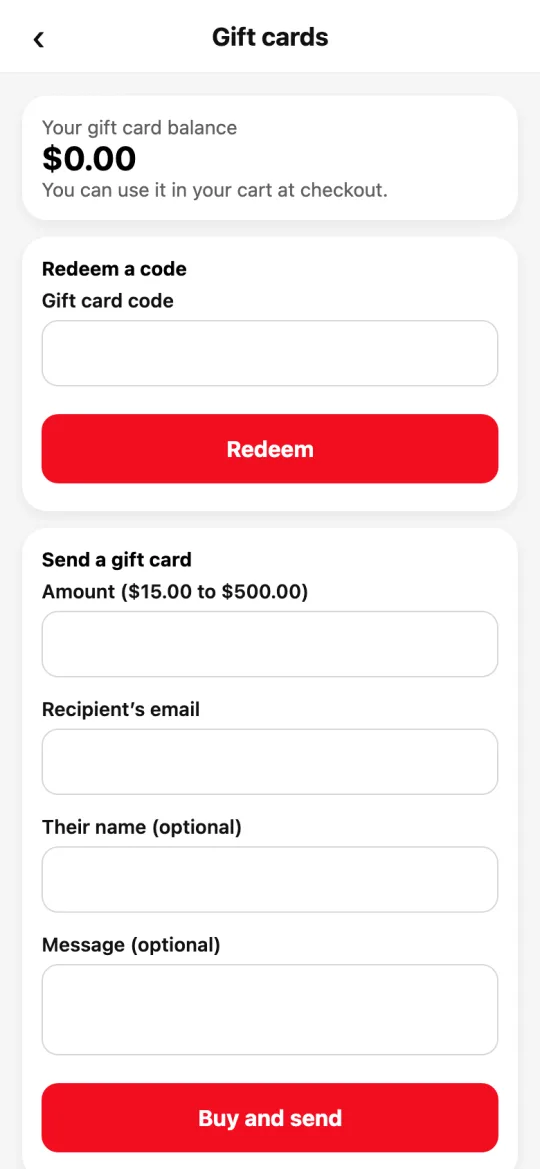
To give one: enter the amount, the recipient’s email and, if you like, their name and a message. Pay with your card, Apple Pay or Google Pay on the same screen. As soon as the payment is confirmed, we email them the code.
To redeem: enter the code under “Redeem a code.” The amount is added to your gift card balance, shown at the top of the same screen.
In your cart you’ll see “Use my gift card balance” with your balance. When it’s on, the balance pays for food, delivery, service and tax; the tip is paid with your card, because it goes in full to the driver.
If an order paid partly with your balance is canceled, that balance goes back to your account.
Each code works only once.
Send an order as a gift: in your cart, turn on “Send as a gift”, enter the recipient’s address, name, mobile number and, if you like, a message. You pay as usual. Once the payment is confirmed, we text them your message and a link to track the order (no prices and not your address). The restaurant and the driver see who to hand it to, but never their number. Not available for pickup.
Steps
- My account → Gift cards.
- To give one: amount, email and “Buy and send.”
- To redeem: enter the code and tap “Redeem.”
This guide answers
- How do I give a Divoox gift card?
- How do I redeem a gift card code?
- Does my gift card balance pay the tip?