
Menu hours: breakfast, lunch and dinner
Each category can have its own window: breakfast only shows in the morning.
How it works
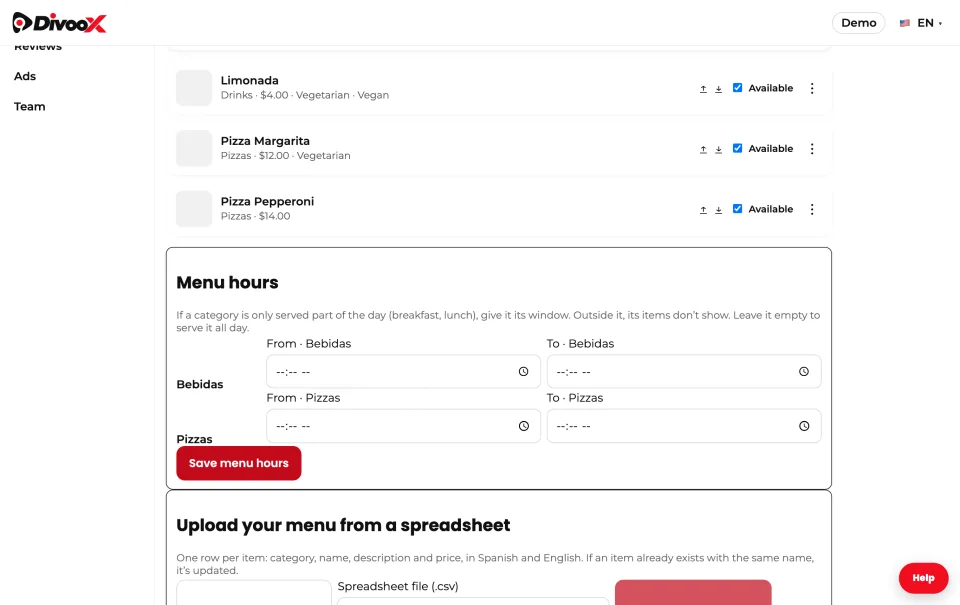
In “Menu”, under “Menu hours”, set a start and end time for each category that isn’t served all day. For example, “Breakfast” from 07:00 to 11:00.
Outside its window, those items don’t show on your page and nobody can order them. The customer sees a line telling them when they’re served.
An order scheduled for later is checked against the time it was ordered for. Categories without a window are served during all your hours.
Steps
- Menu → “Menu hours”.
- Set “From” and “To” on each category that needs it.
- Tap “Save menu hours”.
This guide answers
- Can I have a breakfast menu?
- How do I set hours for a category?