
Shop at the grocery store, pharmacy or liquor store
In Grocery, Pharmacy, Liquor and More you see the stores near you, search a product in all of them at once and choose what happens if something is out.
How it works
Divoox isn’t just food. Tap Grocery, Pharmacy, Liquor or More on the home screen to see the stores near your address: open and closest first, with how many products they carry and how long they take.
At the top there’s a search that looks in every store at once: type “milk” and see which store has it, at what price and how far away. Tap the result to go into that store.
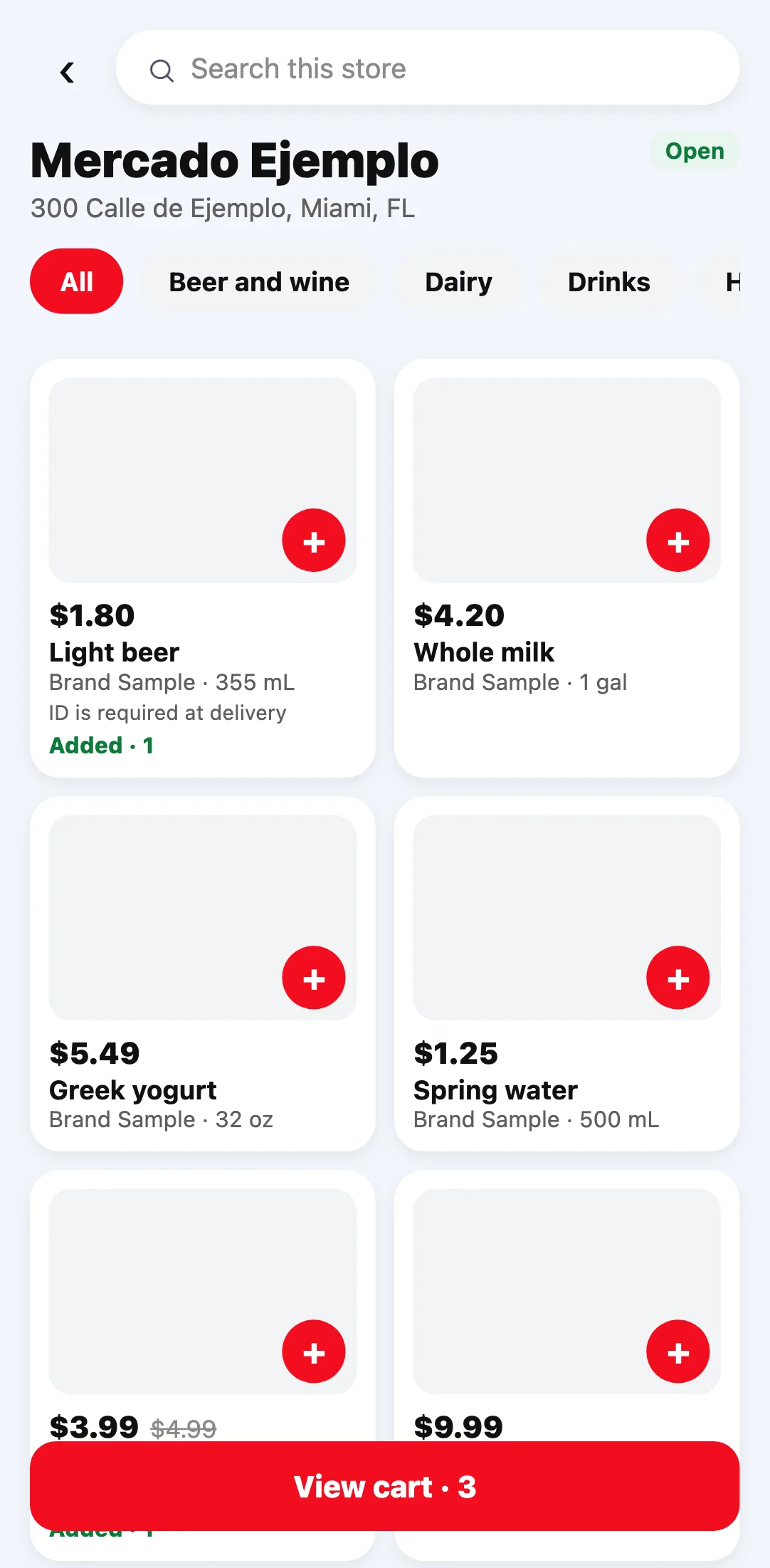
Inside the store, products are grouped by aisle (drinks, dairy, pantry…), just like at the supermarket. Each product shows its photo, its price and, when it’s on sale, the old price crossed out. Sold-out items don’t show up.
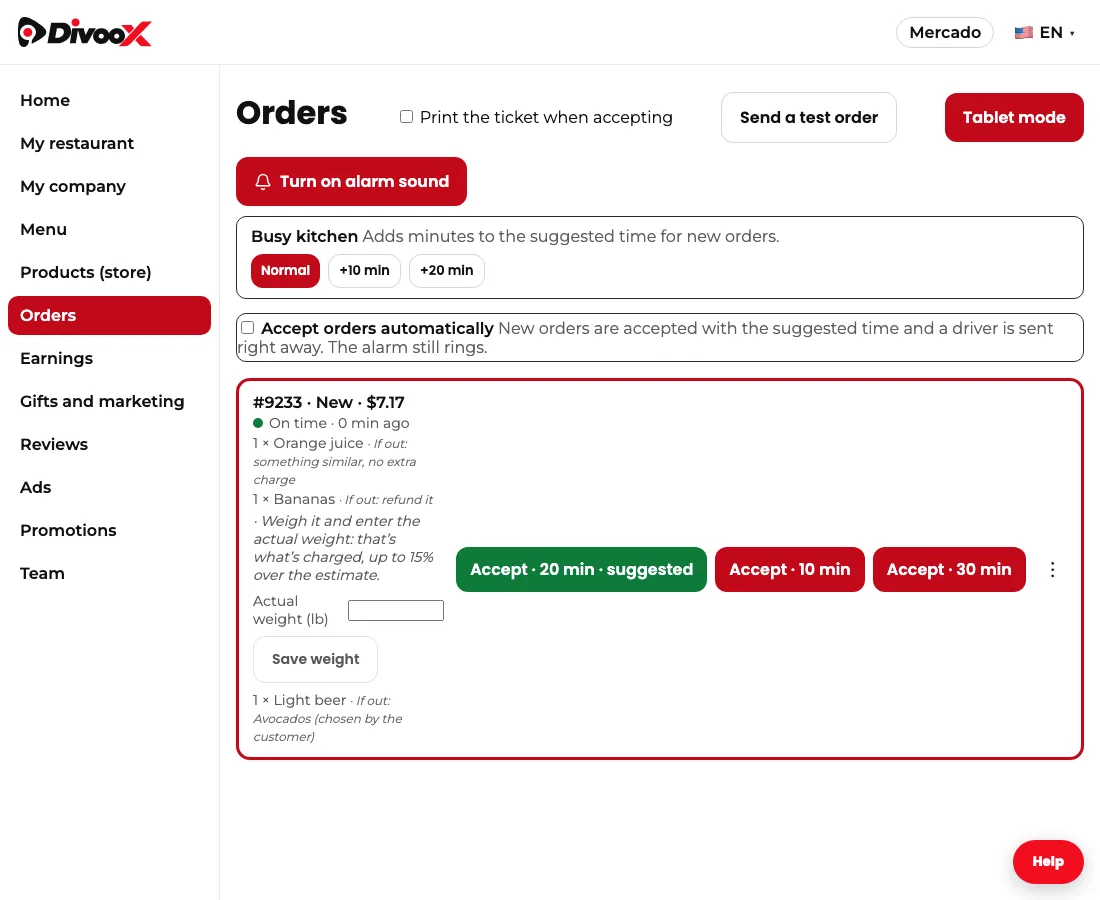
Fruit, vegetables and meat sold by weight show an estimated price: the store weighs them while preparing your order and you pay the actual weight (see “Items sold by weight: you pay the actual weight”). If a product contains alcohol or tobacco, the order is handed to you, never left at the door, and the driver asks for ID: you must be 21 or older.
Alcohol can only be ordered during the hours each state’s law allows: in Florida, from 7:00 a.m. to midnight; in Michigan, from 7:00 a.m. to 2:00 a.m., and on Sundays from noon. Outside those hours, the product shows when it becomes available and can’t be added; the rest of the store works as usual. You can also schedule the order for later.
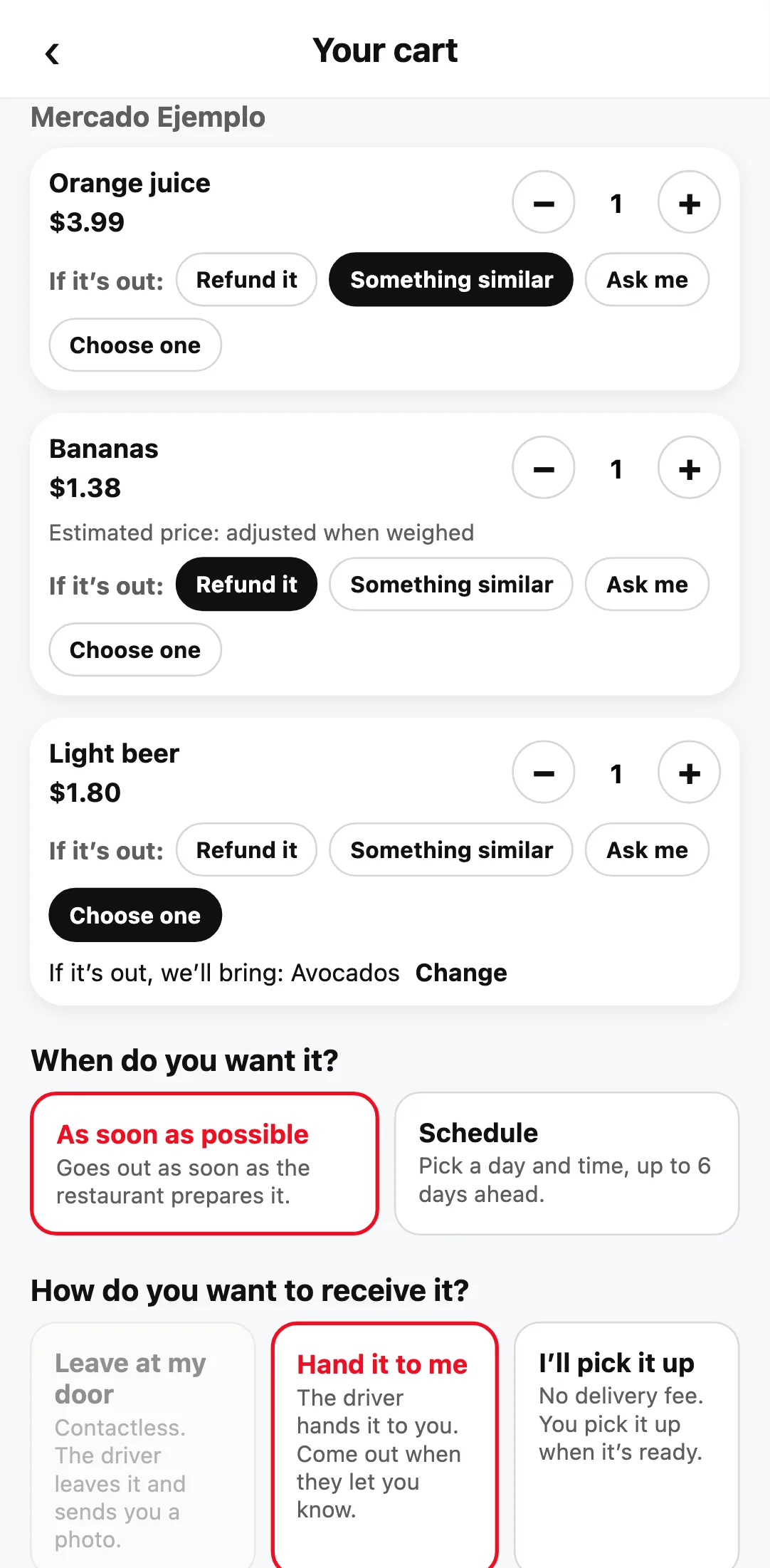
In the cart you choose, item by item, what happens if the store doesn’t have it: refund it, get something similar at no extra charge, have them ask you in the order chat, or “Choose one”: you search the same store for the exact item you want instead. If you don’t choose, it’s refunded.
With “Choose one,” the store sees your replacement while preparing the order. If yours is out, they bring the one you chose without asking you again, and we never charge you more than you authorized: if it costs less, we refund the difference. If they don’t have the one you chose either, we refund what you paid for that item.
If you chose to be asked and the store is out of an item, it can suggest up to three replacements with their price. Tap the one you want and you’re done, no chat needed. If the replacement costs more, you pay the same as the original; if it costs less, we refund the difference. You can also remove it or cancel everything.
Stores open city by city. If yours isn’t open yet, the service says “coming soon.”
Steps
- On the home screen, tap Grocery, Pharmacy, Liquor or More, then “See stores nearby.”
- Pick a store, or type the product in the search bar to see it in all of them.
- Tap + on each product you want.
- Open the cart and choose what happens if each item is out.
- Pay as usual and follow your order in “Orders.”
This guide answers
- How do I shop at a grocery store or pharmacy with Divoox?
- How do I search a product in every store?
- What happens if the store doesn’t have an item I ordered?
- Why does the produce price say “estimated”?